Article Aug 4, 2026, 08:08 AM
Can a Software License Be Transferred to a New Computer? Here's the Answer
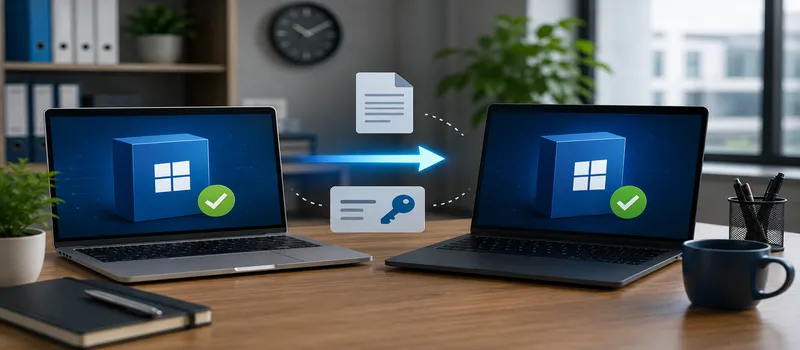
Replacing computers is a common practice for companies, whether due to obsolescence, damage, or to improve performance. However, many users wonder whether purchased software licenses can be transferred to a new device without having to purchase a new license. The answer is yes.can be on some types of licenses, but not allBefore search for software licenses, it is important to understand the license transfer rules to avoid violating vendor terms.
Short Answer
Not all software licenses can be transferred to a new computer.
License transferability depends on the license type and vendor policies.
Retail Licenses are generally more flexible than OEM Licenses.
Some software requires a deactivation process before being transferred.
Before search for software licenses, make sure you understand the transfer rights that the license holds.
Are All Licenses Transferable?
The answer isNo.
Each vendor has different terms and conditions regarding the license transfer process.
In general, transfer rights are influenced by several factors such as:
License type.
Vendor policy.
Software activation status.
Number of devices allowed.
Terms and conditions of the license agreement.
Therefore, before moving software to a new device, companies need to first check the applicable terms of use.
Moment search for software licenses, information regarding license transfer rights should be one of the things to ask official partners.
License Types and Their Transferability
Retail License
Retail Licenses generally provide greater flexibility.
On many products, this license can be transferred to a new computer as long as:
The license is only used on the permitted number of devices.
Activation on older devices has been disabled where required by the vendor.
The transfer is carried out in accordance with the terms of the license.
Therefore, Retail License is often chosen by users who plan to replace devices in the future.
OEM License
OEM License is usually tied to the first device on which the software is activated.
In most cases, these licenses cannot be transferred to another computer because they are part of the device.
This is one of the reasons why OEM License prices are often lower than Retail License prices.
Subscription License
Subscription Licenses generally use a user account system.
As long as the number of devices and users still complies with the vendor's requirements, users can usually log in on new devices without having to purchase a new license.
However, each vendor has different activation rules.
Volume dan Enterprise License
In enterprises, license transfers are usually easier to manage through an administration portal.
Administrators can manage device activation according to the terms of the applicable license contract.
Moment search for software licenses, this type of licensing model provides better flexibility for organizations with multiple devices.
Things to Do Before Transferring a License
To ensure the moving process runs smoothly, it is recommended that you take the following steps:
Backup important data.
Note down the license key if needed.
Deactivate the license from the old device according to vendor policy.
Make sure the new device meets the software specifications.
Save all purchase and activation documents.
This step helps reduce the risk of activation failure after the move.
Common Mistakes
Some errors that are still frequently found include:
Transferring licenses without reading the vendor's terms.
Using one license on more devices than permitted.
Lost license key or proof of purchase.
Do not disable activation on old devices if required.
Assuming all license types have the same transfer rights.
These errors may cause the activation process to fail or create license compliance issues.
Why is it Safer to Buy Through an Official Partner?
Official partners don't just sell software licenses.
They can also help:
Explains the license usage rights.
Provides device activation and migration guidance.
Assist the reactivation process if needed.
Provide support when licensing issues occur.
Ensure that the software purchased meets the company's needs.
Moment search for software licenses, choosing an official partner will make it easier to manage the license throughout its lifetime.
Checklist Before Transferring Software License
Identify the type of license held.
Check the vendor's transfer policy.
Backup all important data.
Save the license key and purchase invoice.
Deactivate the license on the old device if required.
Make sure the new device meets the specifications.
Document the moving process.
Use official partners when search for software licenses.
Contact your vendor or partner if you experience activation issues.
FAQ
Can all software licenses be transferred to a new computer?
No. Transferability depends on the license type and vendor policies.
Can OEM License be transferred?
In most cases, OEM licenses are tied to the first device they're activated on and cannot be transferred to another device. Always check the vendor's terms and conditions to be sure.
What about Retail License?
Retail Licenses are generally more flexible and can be transferred on many products subject to applicable terms and conditions.
Can a Subscription License be used on a new computer?
Usually yes, as long as usage is within the device or user limits specified by the vendor.
Do I need to deactivate the license on the old computer?
For some software, yes. Some vendors require a deactivation process before the license can be transferred to another device.
What to do if the license key is lost?
Double-check your purchase email, vendor account portal, or contact the authorized partner you purchased the license from.
Why is purchasing through an official partner more recommended?
Official partners help explain license usage rights, provide activation support, assist with the device migration process, and ensure the purchased software meets the company's needs.
While transferring a software license to a new computer is possible, it doesn't apply to all license types. Understanding vendor terms from the outset will help companies avoid activation issues and license violations later.
Before search for software licenses, make sure you understand the type of license you are purchasing, including transfer rights and terms of use. With the assistance of a trusted partner, the process search for software licenses It's made easier, from consultation and activation to license transfer when companies upgrade their devices. This ensures that software investments remain legal, secure, and can be utilized optimally in the long term.
Related Articles
Also read other interesting information from us

General
Common Mistakes When Using AI Software and How to Avoid Them
Penggunaan kecerdasan buatan kini menjadi bagian penting dari strategi digital di berbagai industri. Namun, tidak semua...

General
The Future of Business Software: Smarter, More Integrated, and More Data-Driven
Technological advancements are driving significant changes in the way companies conduct their operations. Business softw...

General
Phishing and Hackers? YubiKey is the Best Fortress for Your Data!
In this fast-paced digital era, cyber threats such as phishing and hacker attacks are increasingly widespread and danger...
Get Free Consultation
Discuss your company's IT needs with our customer support right now at
+62 822 9998 8870


