Article Sep 25, 2026, 01:28 AM
Why are Original Software Updates Important for Company Computer Security?
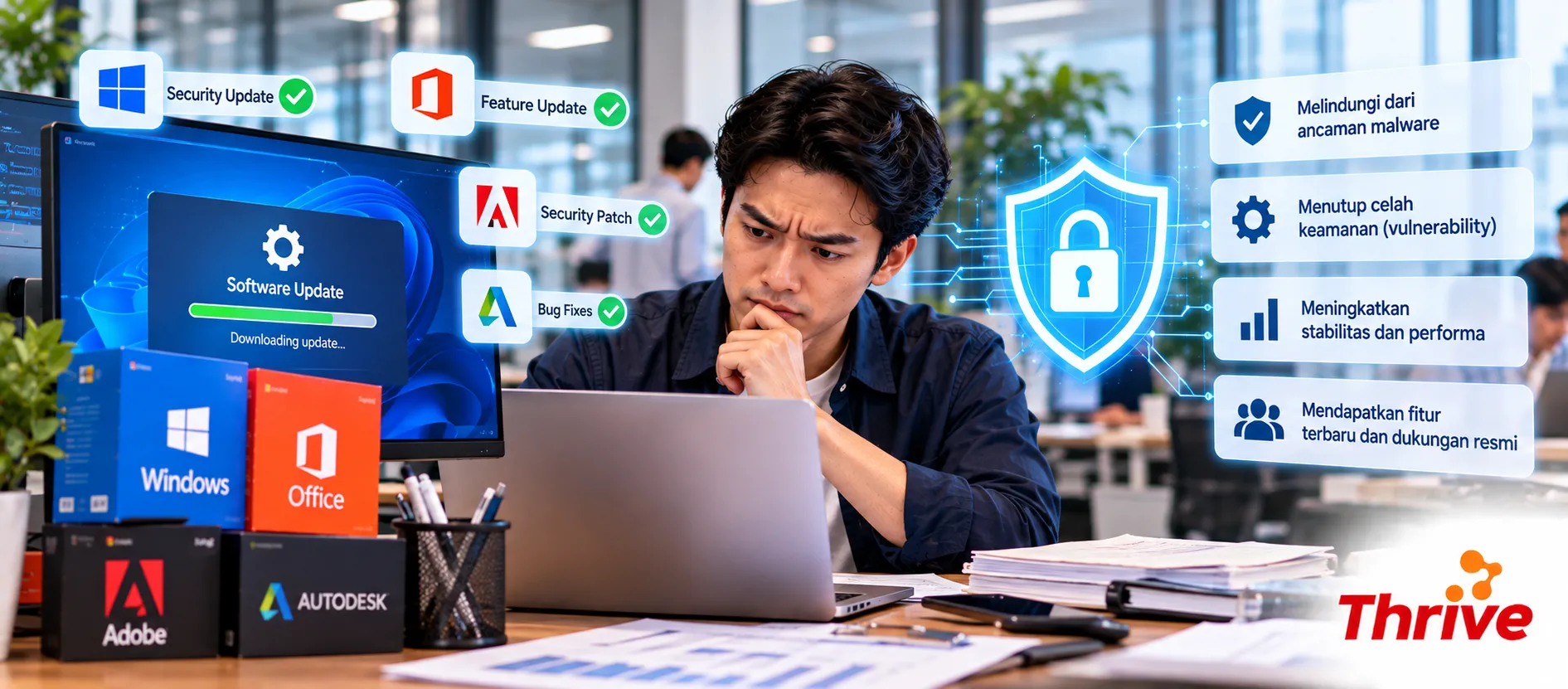
Using original software isn't just about licensing. One often-overlooked benefit is access toofficial security updates and patchesfrom the vendor. These updates help close security holes discovered after the software is deployed.
Therefore, when companies look for cheap original software, the consideration shouldn't stop at price. Ensure the software has the appropriate license and continues to receive official update support.
Why Can't Updates Be Continued to Be Delayed?
Update fixes vulnerability.Known security vulnerabilities can become targets for attacks if they are not closed.
Security patches need to be installed regularly.Companies should have a checking schedule at least once a month.
Software that has reached End of Support is more risky.Vendors may stop providing security updates.
Use cheap original software, helping companies build a more manageable licensed software ecosystem.
Updates can also fix bugs, stability, and compatibility with other systems.
What is the Relationship Between Software Updates and Cybersecurity?
Every application has the possibility of finding a security hole orvulnerability. Once a vulnerability is identified, vendors typically fix it through a patch or an updated version.
The problem arises when an update is available but not installed.
For example, a company has 50 computers, and 10 of them are still using an outdated version of an application. This means there are 10 endpoints that could potentially have different vulnerabilities than updated devices.
Choose cheap original software, is part of this management. However, once the license is active, companies still need to ensure updates are running according to IT policies.
Original Software Still Needs to be Managed
There's a common misconception that using original software automatically makes your computer secure. The reality isn't that simple.
Cheap original software, still needpatch management, security configuration, antivirus or endpoint protection if needed, and proper access control.
If cheap original software, already in use but automatic updates are turned off for months, the device may be left behind from the latest security versions.
In a corporate environment, this problem can escalate rapidly. A single out-of-date laptop connected to an internal network could become an entry point for an attack, depending on the type of vulnerability and network configuration.
Don't Just Update When There's a Problem
A better practice is to createupdate cycleFor 20–100 computers, the IT team can perform patch checks regularly, for example monthly, while prioritizing critical security updates.
When the company adds cheap original software, add the application to the IT asset list. Note the version, user, device, license period, and vendor support status.
In this way, management cheap original software, is not separate from the company's cybersecurity processes.
Beware of End of Support
Old software can continue to run normally even after the vendor has discontinued support. This often leads users to believe there's no problem.
Even though afterEnd of Support (EOS), certain products may stop receiving security updates. If a new vulnerability is discovered, older versions may no longer receive patches.
Therefore, before maintaining or purchasing cheap original software, also check the product lifecycle and update policies of the vendor.
Checklist to Keep Your Company Software Secure
Inventory of all applications and versions used.
Enable automatic updates if it is in accordance with company policy.
Review security patch minimal 1 time per month.
Prioritize patches for critical vulnerabilities.
Check support status before purchasing cheap original software, for long-term use.
Approaching software evaluationEnd of Supportand prepare an upgrade plan.
Confirm purchase cheap original software, recorded with user, device, license, and renewal date.
FAQ
1. Does original software definitely get updates?
It depends on the product, version, and vendor's lifecycle. Official licensing doesn't necessarily mean a version will be supported forever. Check each vendor's support policy.
2. Should automatic updates always be enabled?
For general users, automatic updates are often helpful. In companies with critical systems, updates can be tested first to ensure they don't disrupt business applications.
3. How often does the company need to check for updates?
As an operational baseline, checkingevery monthquite practical. However, critical security patches may need to be addressed more quickly depending on their risk level.
4. Is antivirus enough without software updates?
No. Antivirus and patches have different functions. Cheap original software, which is regularly updated helps close vulnerabilities in applications, while security software provides an additional layer of protection.
5. What are the risks of using software that has reached End of Support?
The software may continue to function, but the vendor may no longer provide security patches. The risk increases when new vulnerabilities are discovered after the end of the support period.
6. Do all updates have to be installed immediately?
Not always. For business environments, certain updates should be tested first. The IT team can prioritize them.critical security updatesand schedule feature updates separately.
7. What should be checked when purchasing software for a company?
Check the legality of the license, licensing model, support period, update mechanism, device requirements, and vendor policies. This way, your purchase will be... cheap original software, not only chasing price but also considering long-term security.
Ultimately, corporate computer security doesn't stop after the software is successfully installed. Cheap original software, it needs to be accompanied by regular updates, patch management, and version monitoring so that protection remains relevant to ever-changing security risks.
If managed properly, cheap original software, can be part of an IT strategy that is more secure, controlled, and ready to follow the company's growth.
Related Articles
Also read other interesting information from us

General
How to Choose a Monthly Accounting Software Package According to Your Business Scale
Choosing the right monthly accounting software package is a crucial step for MSMEs to manage their finances efficiently...

General
Want Your Business to Grow? This is the Importance of Using Website Creation Services
In today's digital era, having a website is not just an option, but a necessity for every business that wants to grow. A...

General
Rechargeable Batteries Help Reduce Plastic and Electronic Waste
In today's modern era, plastic and electronic waste pose a major environmental challenge. One of the main contributors t...
Get Free Consultation
Discuss your company's IT needs with our customer support right now at
+62 822 9998 8870


