Article Sep 18, 2026, 01:55 AM
Contracts and Compliance Documents Often Expire Without You Realizing It? Here's How to Prevent It
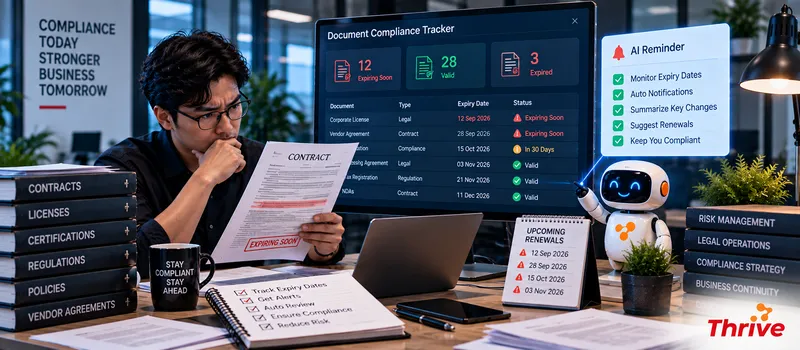
How Can Document Expiration Be Monitored Automatically?
AI Automationcan help Legal and Compliance monitor the expiry date of various documents, calculate the remaining validity period, send reminders, and escalate if there is no follow-up.
Expiry date extractedfrom the contract or compliance document.
Counting systemremaining days automatically.
Reminders can be created onH-90, H-30, dan H-7.
Documents that have expired can change to statusExpiredand enter the review.
PIC and Legal can receive notifications based on the type of document or its level of urgency.
For example, the contract ends onDecember 31. With AI Automation, reminders can start around the beginning of October, continue in early December, then one week before expiry.
From Spreadsheets to More Proactive Monitoring
Spreadsheets are still useful for record-keeping. Problems arise when the number of documents increases and due dates become more widespread.
Imagine there is1,000 contractsand compliance documents. If each document has a different expiry date, manual monitoring increases the risk of human error.
With AI Automation, processes can be created based on date and status triggers.
Contoh workflow:
Document Repository → Extract Expiry Date → Calculate Remaining Days → Determine Status → Reminder → Renewal → Verification
1. Take Expiry Date from Document
Not all expiry dates are stored as metadata.
Sometimes the date is only on the last page of the contract.
With AI Automation, the system can help read documents and retrieve information such as:
Document Type | Owner | Issue Date | Effective Date | Expiry Date | Renewal Term
For scanned PDFs, OCR can be used to make the date readable.
2. Create Status Based on the Remaining Days
Once the expiry date is found, the system can calculate the remaining days.
Example rule:
>90 days → Active
31–90 days → Renewal Monitoring
8–30 days → Urgent
≤7 days → Escalation
Expired → Review/Block
With AI Automation, the status can change automatically based on the date without having to be updated manually.
3. Send Reminder to the Right PIC
Reminders should not be sent to everyone.
For example, vendor contracts are the responsibility of Procurement, while certain compliance certificates are the responsibility of Compliance.
With AI Automation, the recipient can be determined based ondocument owner, department, document type, or certain rules.
For example:
H-30 → Owner Reminder
H-14 → Owner + Legal
H-7 → Owner + Legal + Manager
4. Create a Renewal Workflow
Reminders alone are not enough.
After the reminder, there must be action:
Reminder → Renewal Request → New Document → Validation → Approval → Update Repository
With AI Automation, new documents can be processed after the renewal is complete.
The system can also compare the expiry date of new documents with previous data to reduce input errors.
5. Handle Expired Documents
An expired document doesn't necessarily mean it should be immediately blocked. Treatment depends on the type of document and company policy.
For example:
Expired → Risk Flag → Owner Notification → Compliance Review
For certain documents, related access or transactions may be withheld until the document is updated.
The audit trail also needs to record when the reminder was sent, who the PIC was, when the new document was received, and who performed the verification.
What Needs to Be Prepared?
Make a list of all contracts and compliance documents.
Determine the document owner.
Make sure each document has an expiry date.
Determine the rules H-90, H-30, H-14, and H-7.
Differentiate between reminder and escalation.
Determine the status Active, Urgent, and Expired.
Prepare OCR for scanned documents.
Create a renewal workflow.
Implement role-based access.
Keep an audit trail.
Test with100–500 documentsfirst.
Use legal software for companies and officially licensed software.
Good monitoring isn't just about notifying you that a document is about to expire. The system should help ensure thatwho is responsible, when to act, and what the next steps are.
FAQ
1. What documents can have their validity period monitored?
Vendor contracts, NDAs, certificates, permits, compliance documents, licenses, and other documents that have an expiry date.
2. Can AI retrieve expiry date from PDF?
Can. AI Automationcan help extract dates from readable documents, including via OCR for scanned documents.
3. When should reminders be sent?
There's no single mandatory number. 90 days before, 30 days before, and 7 days before are examples of intervals that can then be adjusted to suit the company's renewal process.
4. Can reminders be sent to multiple people?
Yes. Recipients can be identified based on owner, department, document type, or urgency level.
5. What happens if the document has expired?
Workflow can provide Expired status, send notifications, create review tasks, or implement certain restrictions according to policy.
6. Does the new document automatically replace the old document?
It can be done like that, but it is best to keep the old document as a historical version so that the audit trail remains complete.
7. Can the system create renewal tasks?
Can. AI Automationcan create tasks based on expiry date and direct them to the relevant PIC.
8. How to ensure monitoring does not generate too many notifications?
Use tiered escalation. Initial reminders should be sent to the owner, then only involve Legal or Manager if the deadline approaches or no action has been taken.
Related Articles
Also read other interesting information from us

General
Want a Professional Portfolio Website? This is a cheap website creation service that is suitable for you
Having a professional portfolio website is the best way to showcase your abilities and work, whether as a designer, phot...

General
A Professional Website Is More Than Just a Company Profile: Here's Its Role in Modern Business
In this fast-paced digital era, professional websites have developed into strategic assets that play a major role in bui...

General
Why Should Small Businesses Have Their Own Website?
In an increasingly digital world, having an online presence is no longer an option, but rather a necessity, especially f...
Get Free Consultation
Discuss your company's IT needs with our customer support right now at
+62 822 9998 8870


