Article Aug 4, 2026, 08:11 AM
Want to Buy a Microsoft License? Understand the Types and Risks First
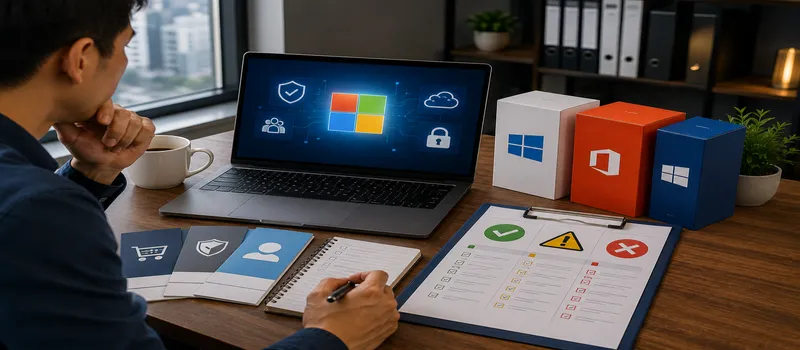
Choosing a Microsoft license isn't just about finding the cheapest price. Before buy original software, understand whether the license is tied to a device, transferable, subscription-based, or designed for multiple users.
Most Common Licensing Options
OEMusually comes pre-installed on new devices and is tied to them.
Retail or FPPmore flexible for individual users or small businesses.
Volume Licensingintended for organizations with multiple devices or users.
CSP or subscriptionperfect for Microsoft 365 and cloud services.
Check the number of users, devices, usage period, and activation method before buy original software.
How to Choose a License Based on Real Needs
1. OEM License
OEM, or Original Equipment Manufacturer, is generally included with new laptops or computers. OEM Windows activation is used on devices purchased through OEM channels and already have the operating system pre-installed.
This license is suitable for devices that are used long-term. However, when the device or motherboard is replaced, the license is usually not designed to be transferred. buy original software, also consider the device replacement cycle of 3–5 years.
2. Retail License or FPP
Retail or Full Packaged Products are purchased separately from the device. This type offers more flexibility when replacing the computer, as long as the transfer complies with the licensing terms.
Retail is suitable for professionals or small businesses with around 1–5 devices. However, managing product keys individually becomes less efficient as devices increase. Therefore, buy original softwarein retail format is more appropriate for small scale.
3. Volume Licensing
Volume Licensing is designed for organizations that require centralized management. Activation can be done using MAK or KMS, depending on the product and agreement. KMS requires an activation host on the internal network, while MAK requires a specific number of activations.
This model is relevant for organizations with multiple devices. Before buy original software, make sure the IT team understands the deployment and license audit process.
4. CSP and Subscription
Cloud Solution Providers (CSPs) are widely used for Microsoft 365 and cloud services. Licenses are typically calculated based on the number of users and are paid monthly or annually.
For example, a company with 25 employees would need approximately 25 seats if each employee had their own account. This model makes adding users easier but incurs recurring costs. buy original software via subscription must be calculated based on the total cost of 12 months.
5. Perpetual and Subscription
Perpetual subscriptions grant the right to use a specific version of a product without a recurring subscription. Subscriptions are only valid for the duration of the payment and typically include feature updates.
Perpetual is suitable for stable needs. Subscription is more suitable for businesses that require the latest versions, cloud collaboration, and continuous security. Don't buy original software before determining the most appropriate cost model.
Checklist Before Buying
Note the number of users and devices.
Determine whether the license needs to be transferred.
Examine email, cloud storage, security, and collaboration needs.
Compare 1 year and 3 year costs.
Save invoices, product keys, tenants, and proof of ownership.
Use a trusted partner when buy original software.
Avoid cheap keys without license origin information.
FAQ
What is the cheapest Microsoft license?
OEMs are often more economical, but are tied to the device. While buy original software, compare the price with the flexibility.
Is the OEM license transferable?
Generally not designed to be moved to another device.
What is the difference between perpetual and subscription?
Perpetual is used for certain versions. Subscriptions are active as long as the subscription fee is paid.
When does a company need Volume Licensing?
When there are many devices and the IT team needs centralized activation and management.
Can one license be used by multiple people?
It depends on the product. User-, device-, and server-based licensing have different rules.
How to ensure a legal license?
Check the invoice, license type, tenant, sales partner, and ownership documents before buy original software.
Cheap keys may come from inappropriate or previously used channels. Therefore, buy original software must be based on user needs, devices, and how they are used. With proper documentation, the process buy original softwarebecome more secure. Decision buy original software proper implementation also reduces the risk of failed activations, audits, and re-procurements.
Related Articles
Also read other interesting information from us

General
How to Use Digital Vouchers to Increase Online Traffic
From digital era, Digital vouchers are not only a tool for providing discounts, but also an effective way to increa...

General
5 Latest Robotics Innovations That Will Blow Your Mind!
The world of robotics technology continues to advance at an astonishing pace, bringing innovations that are changing the...

How to Maximize Canva for More Effective Marketing Campaigns
Why Do Many Marketing Teams Rely on Canva?Canva helps you create campaign designs faster without professional design ski...
Get Free Consultation
Discuss your company's IT needs with our customer support right now at
+62 822 9998 8870


