Article Oct 15, 2026, 07:32 AM
Why Do Companies Need Document Processing Software Like Toolkit Ultimate?
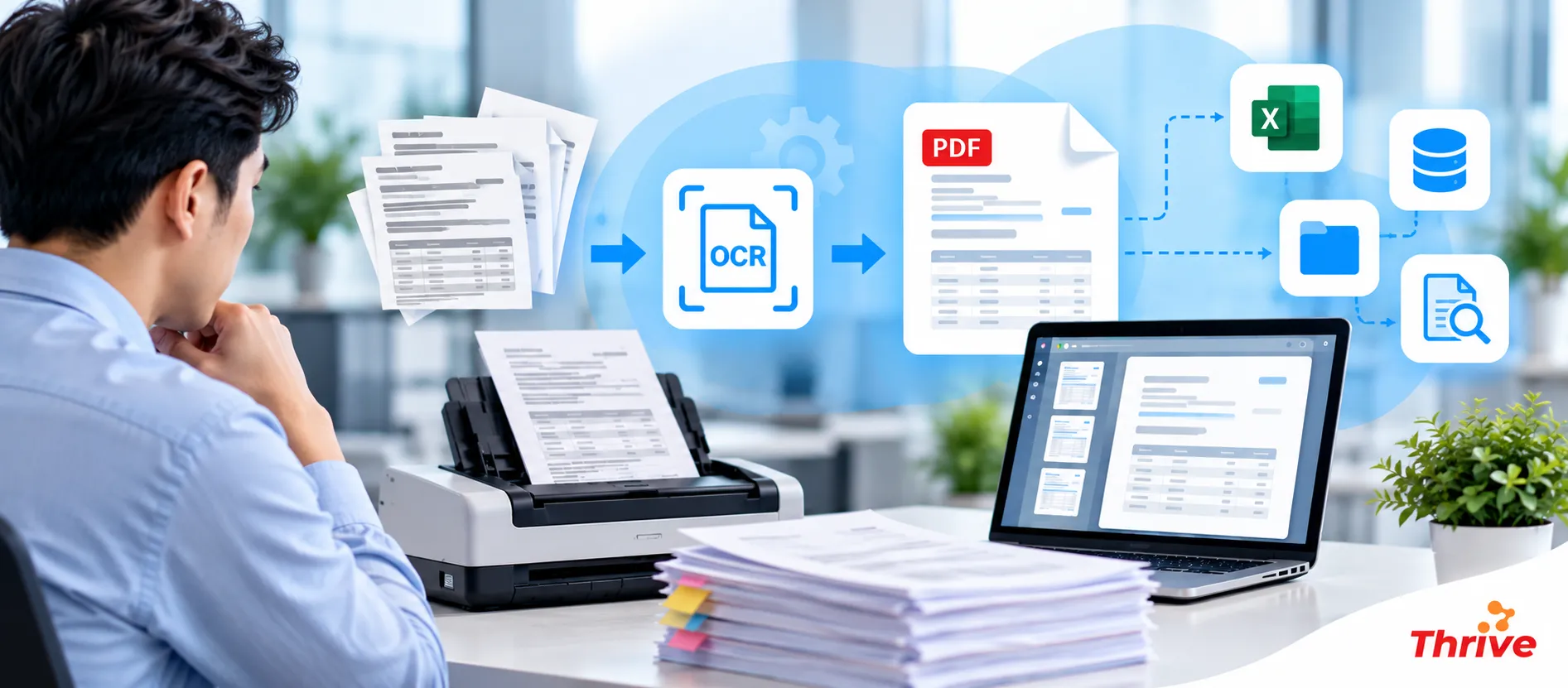
Document processing software helps companies process digital documents more efficiently, reduce manual work, and boost team productivity. As the number of documents increases, unstructured processes can slow down work and increase the risk of errors. Therefore, companies need to evaluate solutions based on operational needs, including considering Toolkit Ultimate after verifying its features and licensing terms.
What is Document Processing Software?
Document processing software helps companies process digital documents according to available functions, from file processing to supporting specific administrative processes. Each product has different capabilities, so companies need to choose a solution based on the type of document and workflow they use.
In a business environment, documents can include reports, contracts, invoices, quotations, purchase orders, forms, or PDF files. If processing is still done manually, employees may have to repeat the same task for each document.
Before starting Cari License Software, companies should identify the types of documents they process most frequently and determine which parts of the work need improvement.
Why is Document Processing a Challenge for Companies?
Document processing becomes challenging when file volumes increase, work processes are not standardized, and many activities still rely on manual work. This can slow down operations and make it difficult for companies to maintain consistent work results.
Some of the problems that frequently arise include:
Repetitive work:Employees have to handle documents one by one with the same steps.
Inconsistent processes:Each employee or division has a different way of processing documents.
Risk of error:errors can occur when manually checking, changing, or moving information.
Difficulty managing files:Documents are stored in various locations so they take time to find.
High administrative burden:Documentation work takes up time that could be used for other productive activities.
For example, a finance team that handles many invoices and transaction documents needs a consistent process so that administrative work can be completed on time.
To determine the appropriate solution, companies can start Cari License Softwarebased on these needs, then compare the features and conditions of each product.
What are the Impacts of Inefficient Document Processing?
Inefficient document processing can increase processing time, increase operational costs, and increase the risk of administrative errors. These impacts can impact employee productivity and the smooth running of business processes.
1. Decreased productivity
Employees spend time processing documents repeatedly, leaving less time for strategic work.
2. Operating costs increase
Lengthy manual processes require more work time. Errors can also increase the workload for inspection and repair.
3. Work accuracy is affected
Documents processed without standard procedures have the potential to produce inconsistent information or use incorrect versions.
4. Security risks increase
Business documents can contain customer information, financial information, and internal data. Companies need to ensure that access and storage are managed in accordance with security policies.
5. Operations are more difficult to develop
As document volumes increase, manual processes can become a barrier for companies looking to expand their business without adding excessive administrative burden.
Therefore, when doing Cari License Software, consider measurable benefits, such as reduced processing time, reduced error rates, and increased labor efficiency.
How Does Document Processing Software Help Companies?
Document processing software can help simplify document processing tasks through functions tailored to business needs. The impact depends on the product's capabilities, implementation methods, and company work processes.
Capabilities that are worth evaluating include:
Digital file processing:helps handle documents according to supported formats and functions.
Document search and grouping:facilitate file management if such capabilities are available.
Process standardization:help employees follow a more consistent work pace.
Document check:supports the review process before documents are used or distributed.
Workflow integration:can connect work stages if the product provides the required integration functions.
Not all software has all of these capabilities. Therefore, companies need to verify product specifications before purchasing a license.
Initial steps Cari License Softwarecan help companies identify candidates, but final decisions should be based on official documentation and suitability to operational needs.
How Does Document Processing Work in a Company Workflow?
In general, a document processing workflow begins with document receipt, continues with processing and review, and ends with storage or distribution. The steps can vary depending on the business process and the software features used.
Examples of workflows that can be implemented:
Document acceptance:files received from customers, suppliers, or internal divisions.
Identify needs:The company determines the processes that need to be carried out on documents.
Document processing:Users run the functions available in the software.
Check results:documents are checked to ensure the results are as required.
Storage or distribution:documents are placed or forwarded according to procedures.
Evaluation:Companies review turnaround times and quality of output to identify opportunities for improvement.
For example, a procurement team can establish standard procedures for handling quotations and purchase orders. A consistent flow makes documents easier to track and reduces the risk of missed work.
Before selecting software for the workflow, do Cari License Softwareand make sure the product under consideration actually supports the required functions.
Why is the Ultimate Toolkit Worth Considering?
Toolkit Ultimate can be included in the evaluation process of companies seeking software for document processing needs. However, the product's suitability must be determined by verifying its features, official specifications, compatibility, and licensing terms.
Before selecting the Ultimate Toolkit, companies need to ensure the following:
Supported document types and file formats.
Available document processing functions.
Compatibility with the systems and devices used.
License model, number of users, and usage period.
Technical support and implementation needs.
Total cost during the period of use.
Don't immediately assume Toolkit Ultimate provides certain features like OCR, PDF conversion, batch processing, or workflow automation without official confirmation.
If the company is doing Cari License Software, use the list of requirements as a basis for comparison and ask the product provider if there are specifications that are not clear.
Who Needs Document Processing Software?
Document processing software is relevant for companies that routinely process documents and want to improve administrative efficiency. The needs of each division can vary, so software selection should involve users and decision-makers.
Business Owner:want to improve operational efficiency and optimize resources.
IT Manager dan IT Director:evaluate technology suitability, compatibility, and security.
Procurement:compare products, vendors, and licensing terms.
Finance Manager:considering budget and cost efficiency.
Operations Manager:want to reduce repetitive work and streamline workflow.
Administration team:requires a consistent and easy-to-follow document processing process.
By involving various parties, companies can carry out Cari License Softwarein a more targeted manner and choose solutions that suit the actual needs of users.
What to Consider Before Choosing Software?
Companies need to consider features, compatibility, security, licensing, and cost before purchasing document processing software. This evaluation helps reduce the risk of choosing a product that doesn't meet their business needs.
Use the following checklist:
Primary requirements:What problem do you want to solve?
Feature compatibility:are the required capabilities available?
Compatibility:Can the software be used on corporate systems?
Security:Does access and data management comply with internal policies?
License:Is the number of users and usage time appropriate?
Total cost:Have the costs of purchase, renewal and implementation been taken into account?
Ease of use:Can employees learn the software well?
Technical support:How does the company get help if problems occur?
Success indicators:How will the implementation results be measured?
To help the selection process, companies can start Cari License Softwareand compare each candidate based on the same criteria.
How to Implement Document Processing?
Effective implementation begins with problem mapping, solution selection, testing, and evaluation of results. Companies can start with one process or division before implementing the software more broadly.
1. Identify the problematic process
Determine the activities that take the most time or frequently experience errors.
2. Set success indicators
Use measures such as document processing time, number of errors, and administrative costs.
3. Compare available solutions
Do Cari License Softwarebased on the needs that have been mapped, then verify the product specifications and provisions.
4. Do a trial run
Test the software's capabilities with relevant sample documents and workflows before broader implementation.
5. Prepare work procedures
Provide guidance to users regarding document processing, storage, and security.
6. Evaluation of implementation results
Compare conditions before and after using the software to assess whether efficiency targets are achieved.
Conclusion
Inefficient document processing can slow down work, increase operational costs, and increase the risk of errors. The right document processing software can help companies streamline processes and increase productivity, provided its features and implementation align with business needs.
Toolkit Ultimate may be considered as a candidate once its specifications and licensing terms are verified. To begin your search, visit Cari License Softwareor see Katalog Software Thrive.
If a company needs help evaluating needs, licensing, or appropriate solutions, the Thrive team can be a discussion partner in the software selection process.
FAQ: Document Processing Software for Companies
1. What are the benefits of document processing software for companies?
Document processing software helps companies handle documents in a more structured manner. Depending on the features available, the software can reduce manual work, improve process consistency, and boost productivity.
2. Why do companies need to search for software licenses before purchasing?
Companies need to compare licenses to ensure the terms of use, number of users, validity period, and cost meet their needs. You can start your search by Cari License Software.
3. Is Toolkit Ultimate suitable for all document processing needs?
Not necessarily. Suitability depends on the officially available features and your company's needs. Verify functionality, compatibility, and licensing before purchasing.
4. What should be compared before purchasing document processing software?
Compare features, compatibility, security, ease of use, licensing, overall cost, and technical support. If possible, conduct a trial to ensure the product fits your company's workflow.
5. How to measure efficiency after using document processing software?
Companies can compare document processing times, error rates, and administrative costs before and after implementation. Use consistent indicators to objectively assess changes.
Additional SEO Output
SEO Title: Why Do Companies Need Document Processing?
Meta Description: Learn about the benefits of document processing software for businesses, licensing factors, and Toolkit Ultimate considerations.
Suggested URL Slug: companies-need-document-processing-software
Primary Keyword: Cari Lisence Software
Secondary/Semantic Keywords:
Toolkit Ultimate
Software document processing
Document processing software
Digital document management
Digitization of company documents
Operational efficiency
Enterprise software licensing
Business document workflow
Employee productivity
Digital document processing
Search Intent: Informational, Commercial, Transactional
Target Persona: Business Owner, IT Manager, IT Director, Procurement, Finance Manager, Operations Manager, and corporate decision makers in Indonesia.
Suggested Internal Links:
5 FAQ Questions:
What are the benefits of document processing software for companies?
Why do companies need to search for software licenses before purchasing?
Is Toolkit Ultimate suitable for all document processing needs?
What to compare before purchasing document processing software?
How to measure efficiency after using document processing software?
Suggested CTA:
"Looking for software to support your company's document processing? Discuss your feature and licensing requirements with the Thrive team to help evaluate the best solution for your business processes."
Related Articles
Also read other interesting information from us

General
The Ultimate Toolkit for Enterprises: Document Processing with Discounts of up to 20%
Document processing helps companies manage digital documents in a more structured way, from PDF processing to managing a...

General
Common Layout Mistakes in Business Websites
A bad website layout can ruin the user experience and affect the performance of your business. As a very important marke...

General
When Should Companies Switch from Excel to Integrated Software?
Many companies start their operations using Excel because of its flexibility and ease of access. However, as businesses...
Get Free Consultation
Discuss your company's IT needs with our customer support right now at
+62 822 9998 8870


