Article Oct 15, 2026, 07:38 AM
The Importance of Digital Document Management Software for Modern Enterprises
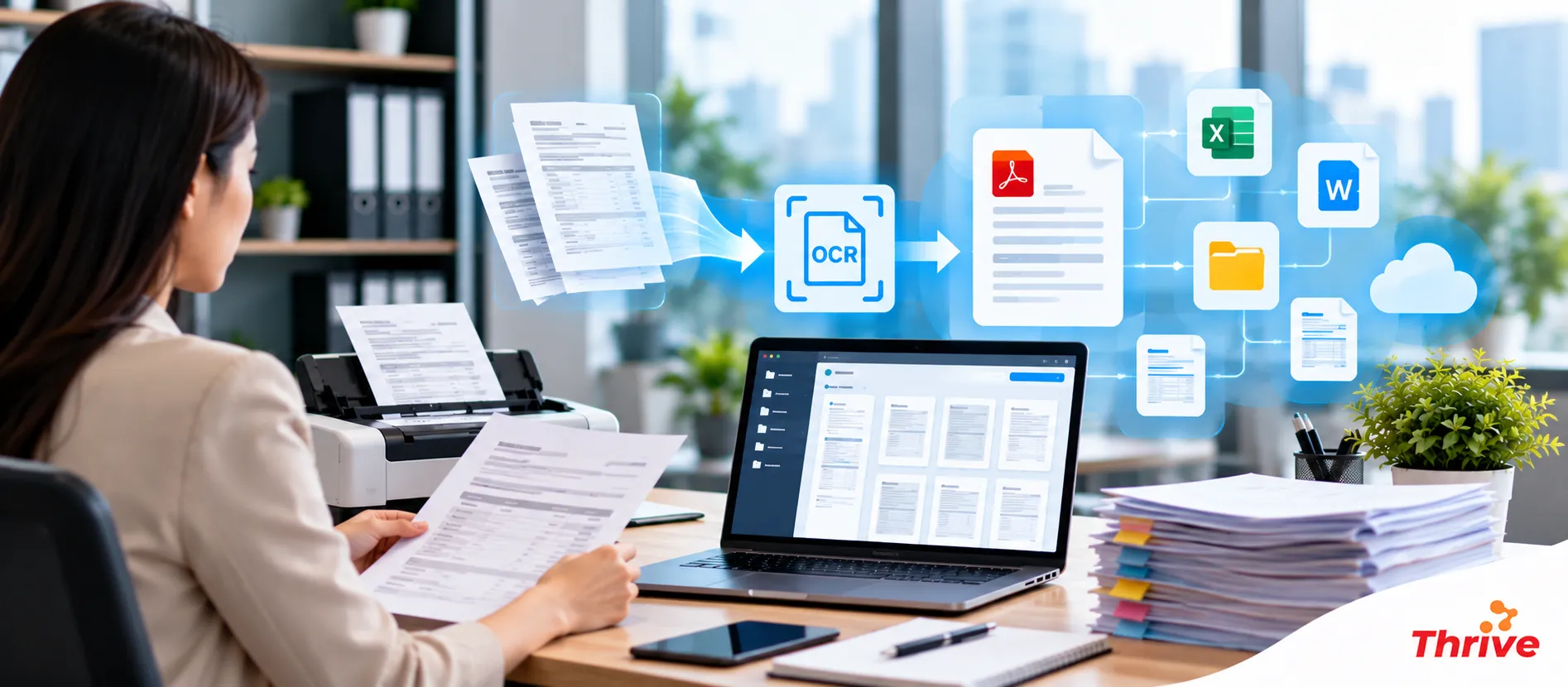
Digital document management software helps companies store, organize, and process documents in a more structured manner. The right solution can reduce manual work, speed up information retrieval, and boost employee productivity. For modern companies, digital document management is crucial for improving operational efficiency, maintaining information security, and preparing business processes for easier growth.
What Is Digital Document Management Software?
Digital document management software is software that helps companies manage electronic documents through a more organized process. Its functions can include storage, retrieval, processing, access management, and document flow management, depending on the capabilities of each product.
In practice, every company's needs vary. Some require a centralized storage system, others need to process PDF files, and still others want to simplify document administration processes.
Therefore, before starting Cari License Software, companies need to determine the types of documents managed, the obstacles that frequently occur, and the processes they want to improve.
Why Do Modern Companies Need Digital Document Management?
Companies need digital document management because the volume of information continues to grow and documents become part of nearly every business activity. Without a structured process, employees can spend countless hours searching for, reviewing, and processing files.
Some of the challenges that companies frequently face include:
Documents are scattered across various locations:files stored on employee computers, email, shared folders, or different platforms.
Information search takes time:Employees have to open many files to find the required documents.
Repetitive administrative work:documents are processed manually without consistent procedures.
Difficulty controlling version:multiple versions of a document may circulate, causing confusion.
Suboptimal access settings:Important documents have the potential to be accessed by unauthorized parties if controls are inadequate.
These issues can impact productivity and slow down decision-making. Companies can begin evaluating options through Cari License Softwareto identify software that suits your document management needs.
What are the Impacts of Inefficient Document Management?
Inefficient document management can increase work time, increase operational costs, and increase the risk of administrative errors. The impact is felt not only by the administration team but also by other divisions that require information to conduct business activities.
Here are some impacts that need to be considered.
1. Employee productivity decreases
Work time is wasted searching for files, checking document versions, or performing repetitive processing. As a result, time for more strategic tasks is reduced.
2. Operating costs increase
Lengthy manual processes can consume more work hours. If errors occur, companies may also need additional time to make corrections.
3. The risk of error increases
Documents processed without standard procedures are prone to errors in filling out forms, using incorrect versions, or distribution to the wrong parties.
4. Information security is more difficult to control
Business documents can contain customer data, financial information, contracts, or internal information. Companies need to implement appropriate access settings and retention policies.
5. Business growth is more difficult to support
As the number of customers, transactions, and documents increases, processes that still rely on manual work can become operational bottlenecks.
To overcome this problem, search Cari License Softwareshould be based on the business problem you want to solve, not just the popularity or price of the product.
How Does Digital Document Management Software Help Companies?
Digital document management software helps companies establish more structured document handling processes. The results depend on product features, system configuration, and user consistency in following work procedures.
Some capabilities to consider include:
Organized storage:helps group documents by category, project, or operational needs.
Document search:makes it easier for users to find files by name, category, or metadata if supported by the software.
Document processing:support specific work on documents according to product function, for example file management or processing.
Access control:helps restrict document access according to user role if the feature is available.
Version management:helps reduce confusion between old and new documents if the system supports version control.
Document workflow:can help organize the flow of inspection, approval, or distribution if the workflow feature is available.
Not all products offer all of these capabilities. Therefore, companies need to compare their list of requirements with official specifications before making a selection and starting development. Cari License Software.
How Does Digital Document Management Work?
Digital document management generally begins with receiving files, grouping them, processing them as needed, reviewing them, and then storing or distributing them. This process can be tailored to each company's policies and work processes.
Examples of stages that can be applied:
Collecting documents:receive files from email, customers, suppliers, or internal systems.
Grouping files:provide a name, category, or metadata to make the document easily recognizable.
Processing documents:perform required activities based on software functions and internal procedures.
Checking the results:ensure documents have been properly processed before use or sharing.
Save and manage access:place documents in designated locations and control who can access them.
Evaluating the process:review the processing time, errors, and obstacles to identify areas that need improvement.
For example, a procurement team can use uniform document management procedures for quotations, purchase orders, and supplier documents. With clear processes, the team can more easily track the location of documents and their handling status.
Companies looking to implement a flow like this can evaluate various options through Cari License Software, then verify whether the selected product supports those needs.
What is the Role of Ultimate Toolkit in Digital Document Management?
Toolkit Ultimate can be considered as a candidate when companies are evaluating software for document processing needs. However, companies should first verify its official functions and specifications to ensure the product they choose truly aligns with their business processes.
Before deciding to use Toolkit Ultimate, check the following things:
Supported document types and file formats.
Available document processing functions.
Compatibility with devices and systems used by the company.
License terms, number of users, and usage period.
Need for technical support and implementation.
Total cost over the period of use.
Don't assume that Toolkit Ultimate automatically provides centralized storage, OCR, file conversion, version control, or workflow automation. Any such capabilities should be confirmed through official documentation or the product provider.
With this approach, companies can do Cari License Softwarein a more targeted manner and avoid purchasing software whose features do not match your needs.
Who Needs Digital Document Management Software?
Digital document management software can be beneficial for companies that handle large amounts of files and require structured administrative processes. The solution chosen should be tailored to the needs of each division.
Here are some parties who can be involved in the evaluation:
Business Owner:requires operational efficiency and better utilization of resources.
IT Manager dan IT Director:evaluate the compatibility, security, and suitability of technology with the company's infrastructure.
Procurement:check vendor options, purchase terms, and licensing.
Finance Manager:considering the budget and total cost of using the software.
Operations Manager:looking for ways to reduce barriers and repetitive administrative work.
Administration and documentation team:requires procedures that facilitate day-to-day file management.
Involving end users from the start is also important. This way, companies can understand the real needs on the ground before committing to a project. Cari License Softwareand determine the product to be used.
What to Consider Before Choosing Software?
Companies should evaluate features, security, compatibility, licensing, and cost before purchasing digital document management software. These considerations help ensure the solution can be used effectively and sustainably.
Use the following checklist as a guide:
Primary requirements:What document management problems do you want to solve?
Feature compatibility:Is the required functionality actually available?
Compatibility:Is the software compatible with the company's systems and devices?
Security:Do data access and protection arrangements comply with internal policies?
License:Are the number of users, validity period, and usage rights appropriate to your needs?
Total cost:Have the costs of purchase, renewal and implementation been taken into account?
Ease of use:Can employees learn and apply it?
Technical support:How do companies get help when they face obstacles?
Success indicators:How will the company measure the results of the implementation?
When doing Cari License Software, use the same criteria for each candidate to make the comparison more objective.
How to Implement Digital Document Management Software?
Effective implementation begins with mapping work processes, setting goals, testing solutions, and evaluating the results. Companies can start with one division or one document type before expanding the implementation.
1. Map the current process
Identify document storage locations, the most frequently performed manual activities, and the challenges employees experience.
2. Set measurable targets
Select indicators such as file search time, document processing duration, number of errors, or administrative costs.
3. Evaluate several products
Establish technical and business requirements, then execute. Cari License Softwareto find relevant candidates. Verify features and license terms through official sources.
4. Do a limited trial
Test the product using representative sample documents and workflows. Verify that the solution meets user needs and company security policies.
5. Prepare procedures and training
Create guidelines for file naming, storage, access settings, and handling of sensitive documents. Provide training to users who will operate the software.
6. Evaluate results periodically
Compare the results with the pre-implementation conditions. If the target has not been achieved, reevaluate the configuration, procedures, and software suitability.
Conclusion
Unstructured digital document management can hinder productivity, increase operational costs, and make it difficult for companies to maintain information consistency and security. Appropriate software can help organize these processes, but results depend on the right combination of features and implementation.
The Ultimate Toolkit may be a candidate for evaluation after business needs have been mapped and product capabilities verified. To begin your search, visit Cari License Softwareor see Katalog Software Thrive.
If a company needs help evaluating software options, licensing, or implementation needs, the Thrive team can be a discussion partner to help identify relevant solutions.
FAQ: Digital Document Management Software
1. What are the benefits of digital document management software for companies?
This software helps companies organize and process documents in a more structured manner. Depending on its features, the right solution can reduce manual work, simplify file retrieval, and boost employee productivity.
2. Why do companies need to look for appropriate software licenses?
Licenses define terms of use, such as the number of users, validity period, and usage restrictions. Choosing the right license helps companies manage their budget and ensure usage complies with vendor requirements. You can get started by Cari License Software.
3. Is Toolkit Ultimate suitable for all document management needs?
Not necessarily. Suitability depends on the product's official capabilities and your company's needs. Verify features, compatibility, and licensing terms before purchasing.
4. How to choose digital document management software?
Start by identifying business constraints, then compare the features, security, compatibility, cost, licensing, and technical support of each candidate. If possible, conduct a pilot before widespread implementation.
5. How to measure the success of document management software implementation?
Companies can measure document search and processing times, the number of errors, and operational costs before and after implementation. Use consistent indicators to more objectively evaluate changes in results.
Additional SEO Output
SEO Title: The Importance of Digital Document Management Software
Meta Description: Learn the benefits of digital document management software to improve company efficiency, productivity, and information security.
Suggested URL Slug: the importance of digital document management software
Primary Keyword: Cari Lisence Software
Secondary/Semantic Keywords:
Digital document management software
Toolkit Ultimate
Software document processing
Digitization of company documents
Business document processing
Digital document management
Company operational efficiency
Enterprise software licensing
Employee productivity
Digital document security
Search Intent: Informational, Commercial, Transactional
Target Persona: Business Owner, IT Manager, IT Director, Procurement, Finance Manager, Operations Manager, and corporate decision makers in Indonesia.
Suggested Internal Links:
5 FAQ Questions:
What are the benefits of digital document management software for companies?
Why do companies need to look for appropriate software licenses?
Is Toolkit Ultimate suitable for all document management needs?
How to choose digital document management software?
How to measure the success of document management software implementation?
Suggested CTA:
"Evaluating enterprise document management software? Discuss your feature requirements, licensing requirements, and implementation with the Thrive team to help you find the right solution for your business processes."
Related Articles
Also read other interesting information from us

General
Safe Tips for Using and Recharging Batteries to Ensure They Last and Avoid Risks
Using rechargeable batteries is indeed a smart choice to support a frugal and environmentally friendly lifestyle. Howeve...

General
5 Website Strategies That Turn Small Businesses Viral on the Internet!
In the digital era like now, small business does not mean you have to think small. Many micro businesses and SMEs have s...

General
5 Best Ways to Protect Your Digital Assets!
In today’s digital age, keeping your digital assets secure is essential. With cyber threats constantly evolving, from ha...
Get Free Consultation
Discuss your company's IT needs with our customer support right now at
+62 822 9998 8870


