Article Sep 16, 2026, 02:14 AM
Thousands of Legal Documents, Still Searching for Clauses Manually? Here's How AI Document Search Works
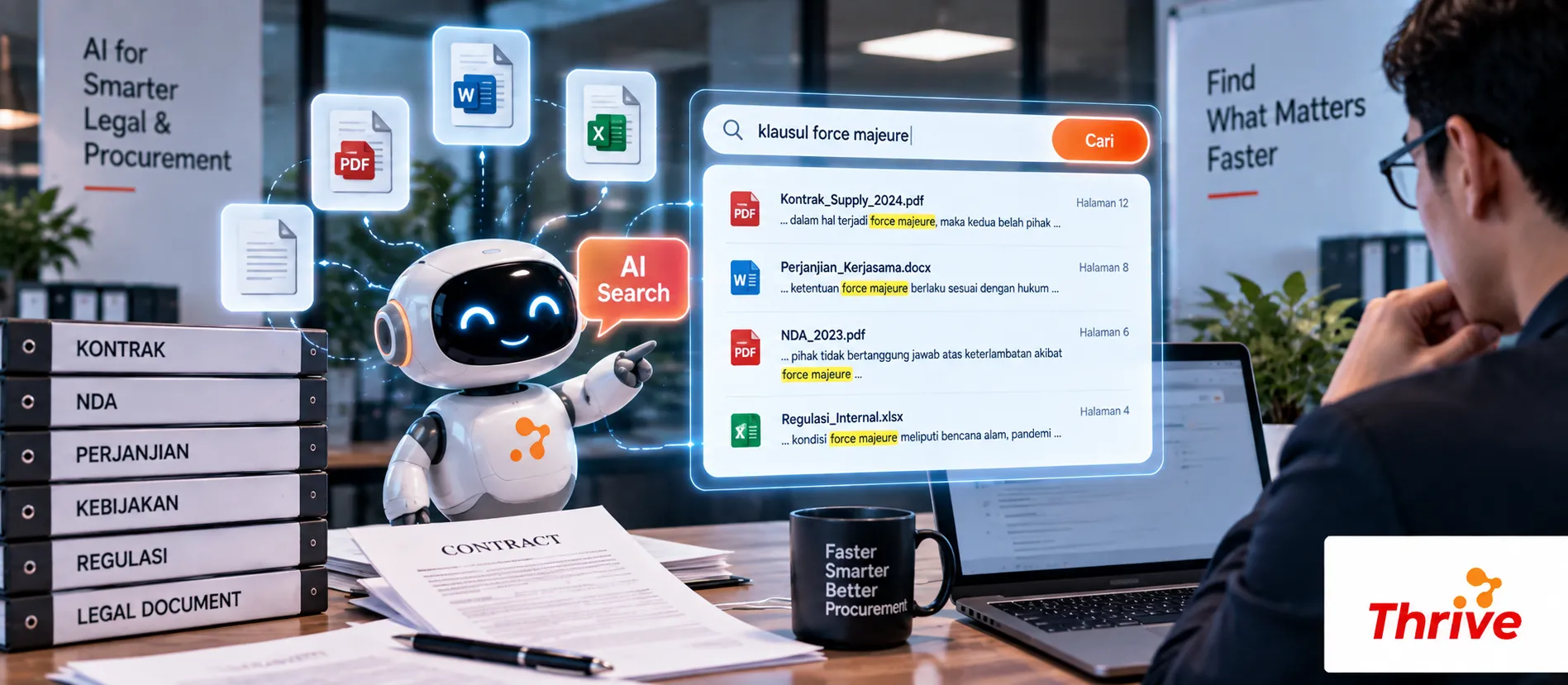
How Can Legal Find Clauses in Seconds?
AI Automationcan help the Legal team find information from contracts, NDAs, cooperation agreements, policies, and compliance documents without opening files one by one.
Search clauses bykeywords or context, not just the file name.
Find information such asvalidity period, termination, payment terms, liability, and confidentiality.
Scanned PDF documents can still be searched after going throughOCR.
Search results can be directed tosource documents and pagesto be verified.
With 1,000 documents, a search that previously took several minutes per document can be narrowed down to seconds to find candidate clauses.
With AI AutomationThe search process isn't just about finding matching words. The system can help understand the relationship between user queries and document content.
From “Search Files” to “Search Information”
The biggest problem with document search isn't just the number of files. It's also the heterogeneity of the information structure.
One contract might statetermination, while other documents use the termtermination of agreement. Keyword-based searches can miss one of them.
With AI Automation, the semantic search approach can be used to search based on meaning or context.
For example, the user asks:
“Which contracts can be terminated before the expiry date?”
The system can then search for the part of the document that is related to thetermination, early termination, notice period, or similar terms.
1. Document Content Extraction
Workflow usually starts from:
Upload Dokumen → OCR/Text Extraction → Indexing → Search
For digital PDFs, text can be extracted directly. For scans, OCR is required to process the text.
For example, there is2,000 contractswith an average of 15 pages. Without indexing, manual searches are extremely time-consuming. Once documents are indexed, searches can be performed across the entire collection.
2. More Specific Clause Search
The Legal Team is not just looking for the word “termination”.
They may need to find:
notice period
automatic renewal
indemnity
limitation of liability
governing law
confidentiality
data protection
payment terms
With AI Automation, search results can be supplemented with sentence context so that Legal does not need to read the entire document just to find one clause.
3. Relate Results to Original Documents
This is the important part.
AI results should not be the sole source of decisions. The system needs to demonstratedocument name, page, clause section, and text source.
With AI Automation, users can use search results as a shortcut to go to the original source and perform verification.
4. Implement Access Control
Legal documents often contain sensitive information.
Therefore, search engines should not automatically make all documents visible to all employees.
Access may be restricted based on:
User → Role → Department → Document Permission → Search Result
With AI Automation, access control can be part of the workflow so that search results follow predetermined permissions.
Checklist Before Building AI Document Search
Collect documents by category.
Separate digital PDF and scanned results.
Make sure OCR is available for scanned documents.
Define metadata such as contract, vendor, date, and status.
Determine the most frequently searched clauses.
Use semantic search for context-based questions.
Show source page in search results.
Implement role-based access.
Keep an audit trail of search activity.
Test the system with minimal50–100 documentsbefore expanding.
Use legal software for companies and officially licensed software.
FAQ
1. Can AI search for clauses from scanned PDFs?
Yes. Documents need to be processed using OCR so that the text within the image can be read and indexed.
2. Is the search only based on keywords?
Do not have to. AI Automationcan use context-based search so that different terms but with similar meanings can still be found.
3. Can the search results show the document pages?
Yes, and it should be. Legal professionals need to be able to check the original source before using search results for decisions.
4. What if there are thousands of documents?
Documents can be indexed first. Afterward, searches are performed against the index, eliminating the need to open individual files.
5. Can all employees search for legal documents?
It shouldn't. Permissions need to be implemented so that users only see documents they are authorized to access.
6. Can AI search for clauses based on questions?
Yes. For example, if a user asks, "Does this contract have a 30-day notice period?" the system can look up the relevant section for verification.
7. Is AI replacing Legal review?
No. AI helps speed up searches and find relevant information. Legal interpretation and decisions still need to be made by authorized parties.
Related Articles
Also read other interesting information from us

General
Mandatory Features That Must Be Included in Indonesian Web Developers
In today's digital world, having an effective and professional website is crucial for any business. Therefore, choosing...

General
Maximize Your Online Business with the Best Automation Software
In today's digital era, managing an online business without the help of technology can be a big challenge. One of the be...

General
How to Maximize Slack for Collaboration
In the modern workplace, fast and organized communication is key to team success. Slack offers a solution that simplifie...
Get Free Consultation
Discuss your company's IT needs with our customer support right now at
+62 822 9998 8870


